


Directive Blogs
Securing your Wi-Fi
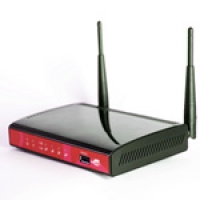
A lot of businesses have been taking advantage of Wi-Fi wireless networking to increase mobility around the office for staff. Most businesses seem to understand that their Wi-Fi network needs to be password protected to keep outsiders from getting in, but most businesses often make the mistake in using WEP security on their wireless network instead of a more secure solution.
The WEP algorithm can be hacked in minutes by a savvy user with a notebook, not only giving them access to your internet access, but to your network and files. Read on to learn a better way to secure your wireless network.
Why is WEP such a weak form of protection? There are a few reasons, but they are all very technical. First, for WEP, the same initialization vector (IV) can be used more than once. This causes a big vulnerability, especially when it comes to collision-based attacks. Plus, your initialization vector is only 24 bits, which means you only have a mere 16.7 million different password combinations. To a human, that's a lot, but to a piece of software, that's like locking your front door with scotch tape. WEP directly uses Master keys, and not temporary keys, and most users don't change their keys frequently, which gives hackers plenty of time to get through the encryption and have their way with your network.
The better solution is Wi-Fi Protected Access (WPA). WPA resolves the weaknesses of WEP, which boasts an IV of 48 (compared to the 24 that WEP uses) so the possible key combinations is over 500 trillion. That will keep a hacker busy for much longer. WPA has better encryption methods and offers drastically better protection, and has technology to keep software crackers from gaining access to your network.
When we evaluate a network, security is one of the key elements we look at. We find that wireless security is often missed, so we are very familiar with working with organizations to on-ramp them to a much more suitable level of security. Many wireless devices these days have WPA capabilities, although some don't. If your business is running a wireless network, or you plan on giving your staff the freedom of moving their notebooks around the office while still accessing the network, you will definitely want to be sure your solution offers WPA. Contact us if you'd like us to take a look at your current configuration to see if you can tighten up the security on your Wi-Fi, or if you have questions about other ways to secure your network.
About the author



Comments